Each tournament operates independently and manages their own Registrations. You will need to contact the tournament directly. Below are the instructions on how to contact the tournament directly:
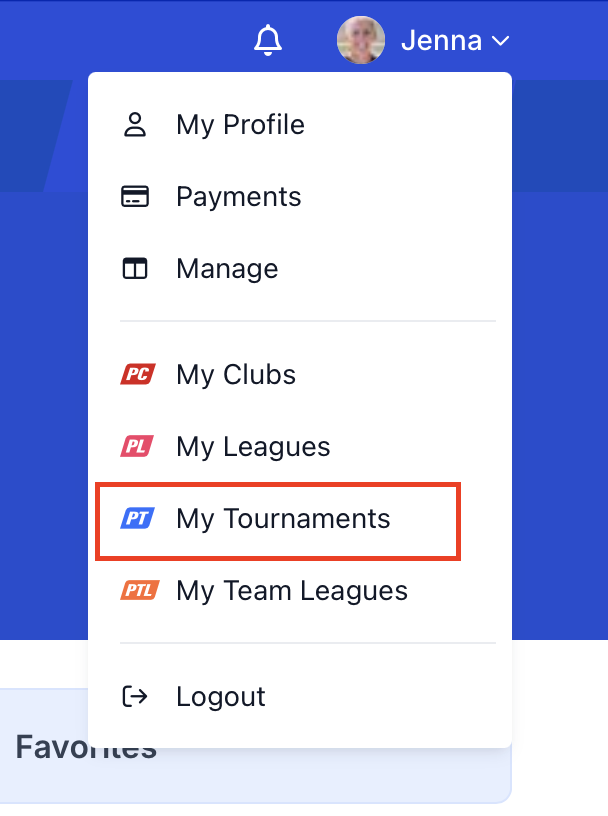
After signing into your player account, under your name in the upper right corner, use the drop-down down menu and select "My Tournaments"
Make sure you are in the "registered for" tab, and select "Current & Future" if the tournament hasn't happened yet, or select "past" if the tournament happened in the past and you need to reach out to them.
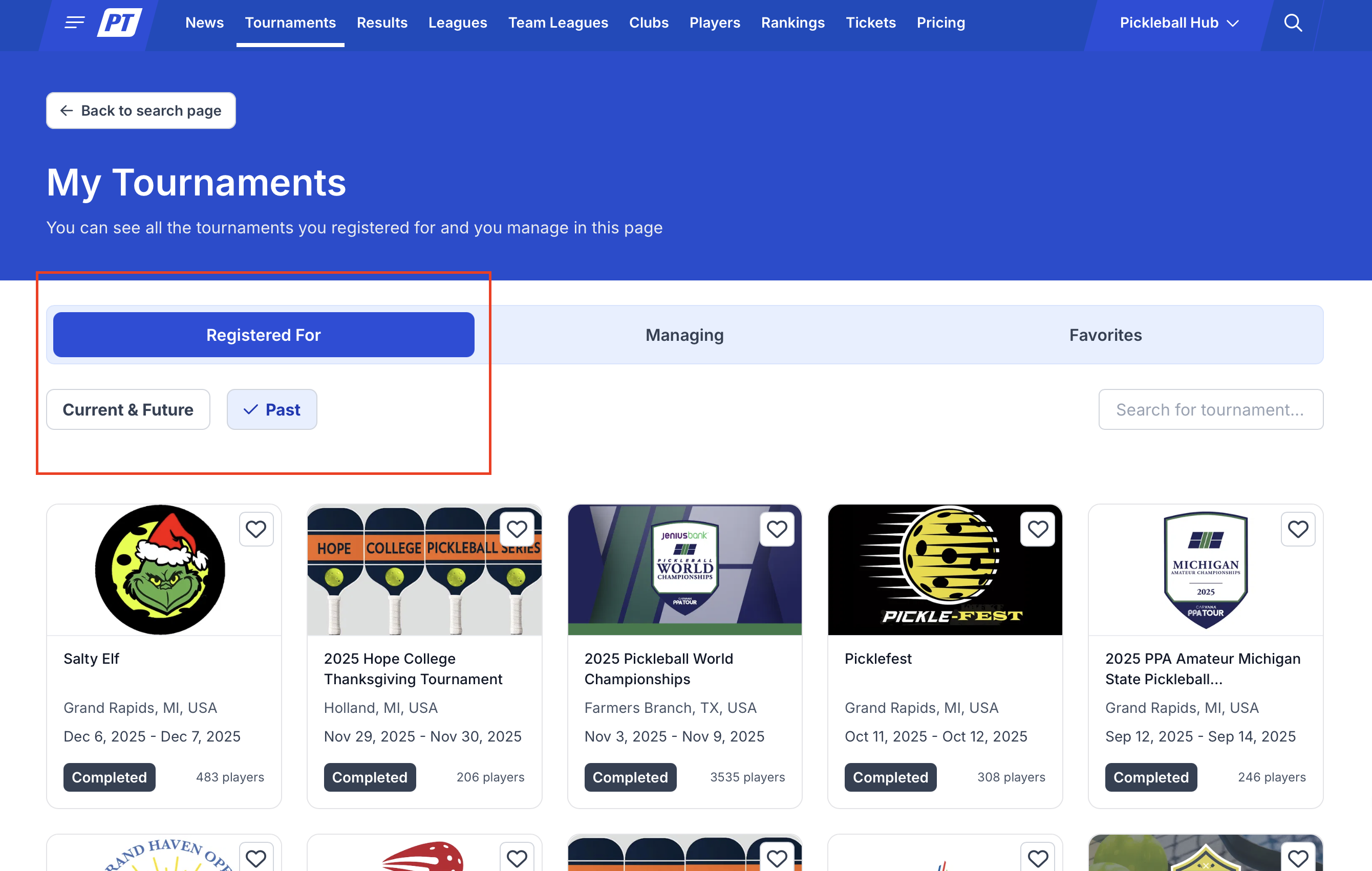
Select the tournament from the screen above, except from your own profile, on what tournament you need to contact and click on the tournament's image.
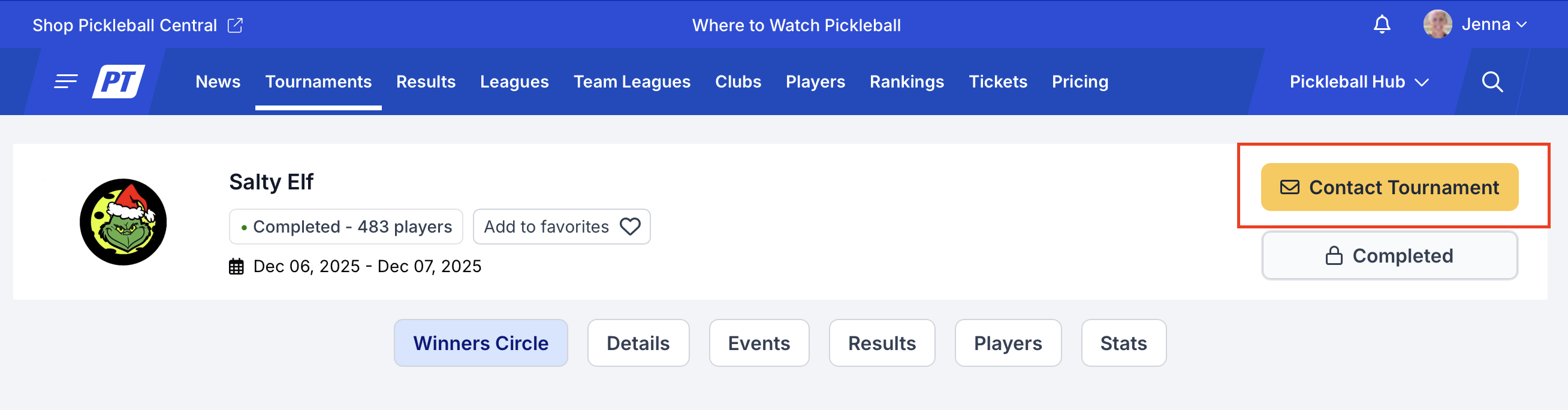
You'll then be brought to the tournament listing (or the tournament homepage) where you can view the "contact Tourney" link. Click on that link, fill out the needed form, and an email will go directly to the tournament.
Was this article helpful?
That’s Great!
Thank you for your feedback
Sorry! We couldn't be helpful
Thank you for your feedback
Feedback sent
We appreciate your effort and will try to fix the article