The Venues tab will transfer over the location that you currently have listed as primary venue in your Club. Venue title is the location's name of the courts that will be used for the tournament.
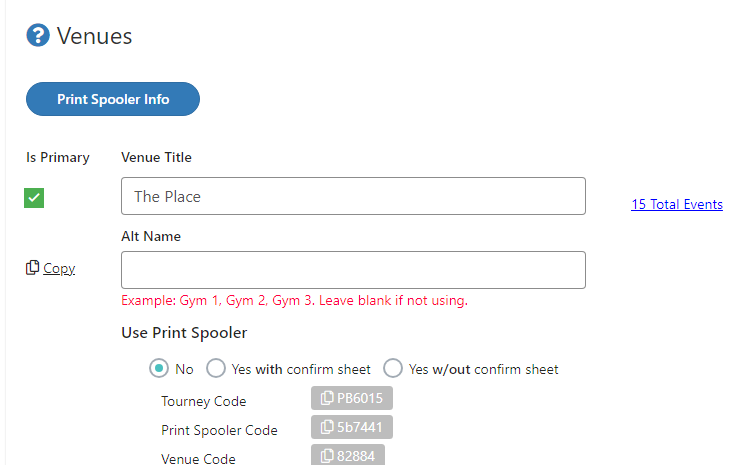
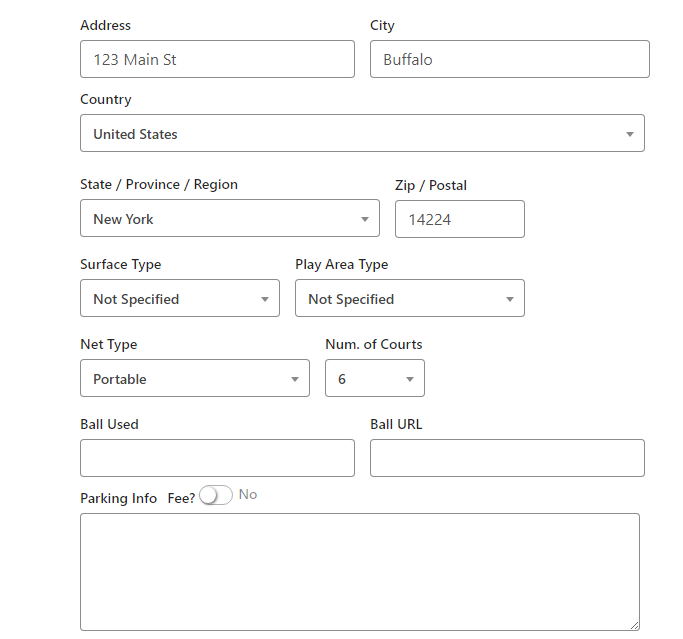
Verify all location information is correct. You can include what type of nets you have, your surface type, the ball used, and if there is any information on parking you'd like to include.
If you want to add a second venue to your tournament, use the "Add New" button at the bottom of the page.
Important!
If you are using a Print Spooler, you will be provided with additional spooler information for the new venue. You would need a secondary computer running the print spooler program and configured with the additional venues information for it to run. See "How to Configure a Print Spooler" for more information on that process.
Was this article helpful?
That’s Great!
Thank you for your feedback
Sorry! We couldn't be helpful
Thank you for your feedback
Feedback sent
We appreciate your effort and will try to fix the article