For tournaments that are planning to have way more tournament registration that availability, we offer a Lottery service. Use the toggle switch under "Edit Tourney" section and turn the lottery on.
TABLE OF CONTENTS
Lottery:
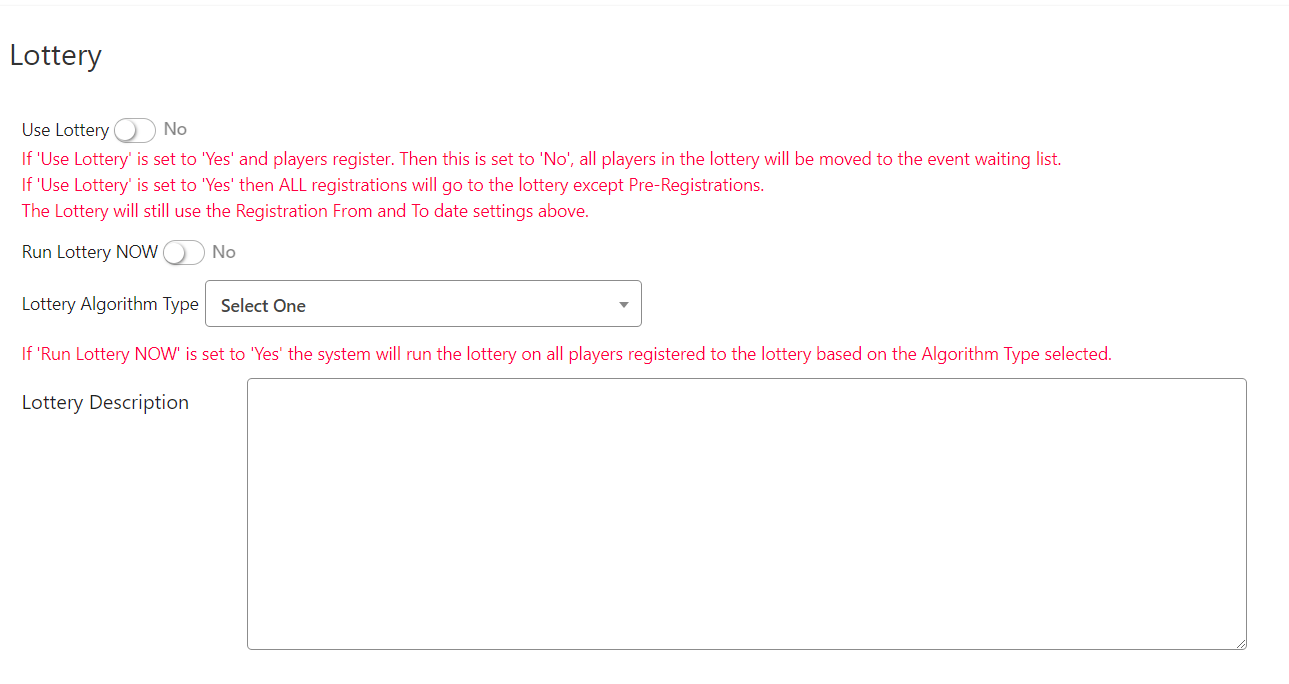
If the lottery is turned on here, all players, except those who are pre-registered, will automatically be entered into the lottery.
Important Lottery Features:
- Registration fees and user fees are NOT collected for lottery sign ups.
- Once the lottery registration period ends, online sign ups will close and the TD must run the lottery.
- If the lottery switch is set to NO without running the lottery, all lottery players will be moved to the waiting list.
- Players selected from the lottery will receive a notice of the events they were selected for including a reminder to pay their registration fee.
- Registration may then be re-opened for partners of selected players, any remaining spots in events and for the waiting lists.
You may choose to show players or not by selecting either Yes or No to the “Hide Registered Players” option on this Edit Tournament Settings page.
Once the lottery sign up period ends, turn on the Run Lottery switch and save the page. The lottery will run according to the selected algorithm, placing players in their chosen events. Any remaining players will be moved to the waiting list for their chosen event.
In every event, you need to make sure the "max teams" is set the number of total teams you want in the main draw. In the "max lottery teams" section, you choose how many teams you want to be able to sign up total:

The Lottery Algorithm
You must select the algorithm to use for your lottery. Here is a complete description of the options and how they will control the selection of players moved into the tournament when the Run Lottery switch is turned on.
Lottery Algorithm Type
ALL types comply to the specs of the tournament and the events
- Totally Random
Grab random players and enter the events - Each player gets in, then random
Get as many individual players registered (to maximize registration income) and then we randomize all other remaining openings - Strength by skill and age
If an event specifies the skill and specifies the age this is the order of selection.
- Both players on the team with a rating in the specified skill and both have the correct age
- Both players on the team have the rating in the specified skill and one has the correct age
- One player on the team has the rating in the specified skill and that same player has the correct age, the other player is correct age and has .5 less than the specified “From Skill” on the event
- Everyone else.
- If an event specifies the skill and has any age this is the order of selection.
- Both players on the team with a rating in the specified skill
- One player on the team with a rating in the specified skill and the other has .5 less than the specified “From Skill” on the event
- Both players have .5 less than the specified “From Skill” on the event
- Everyone else.
- If an event has any skill and specifies the age this is the order of selection.
- Both players on the team within the specified age
- One player on the team within the specified age and one player on the team within the next 5 year age span after the “To Age” on the event
- Both players on the team within the next 5 year age span after the “To Age” on the event
- Everyone else.
- If an event has any skill and has any age
Random selection
Was this article helpful?
That’s Great!
Thank you for your feedback
Sorry! We couldn't be helpful
Thank you for your feedback
Feedback sent
We appreciate your effort and will try to fix the article