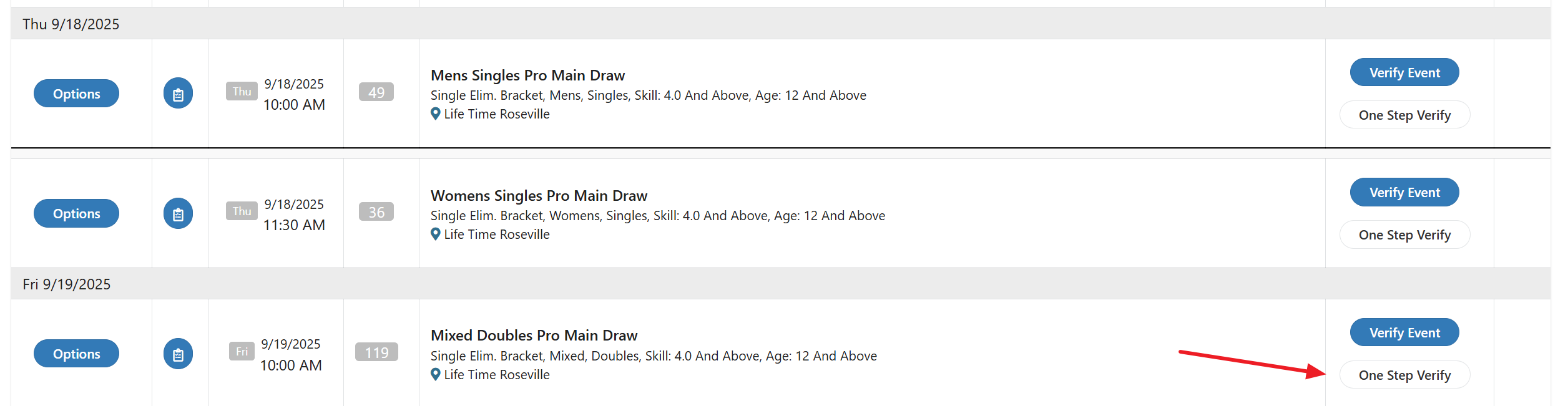
One Step Verify is an option that speeds up the verification process. It is only available for single and double elimination events.
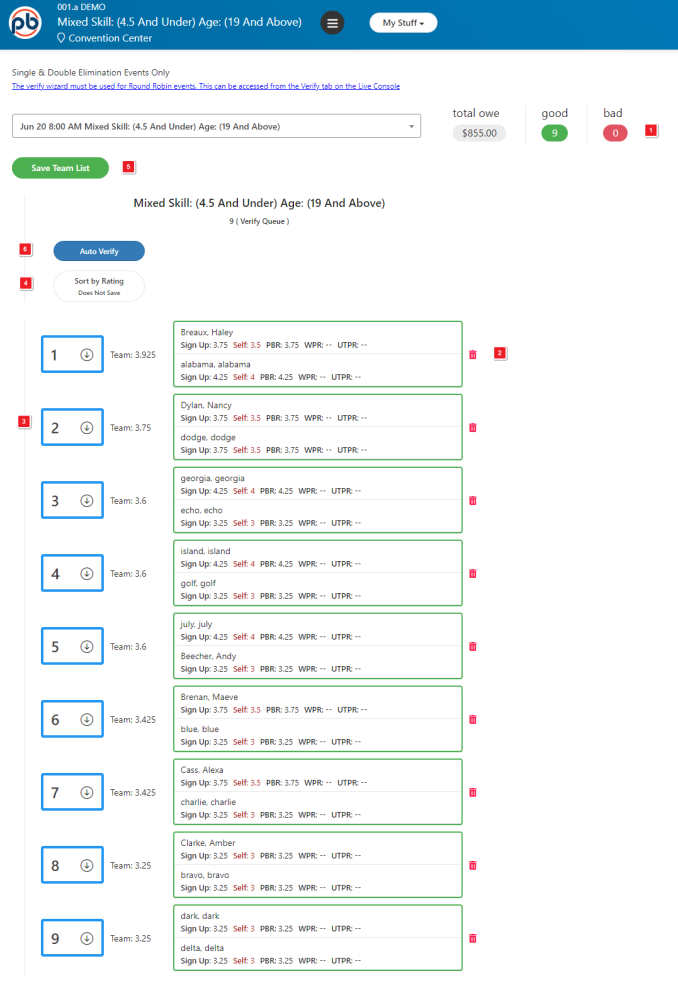
One Step Verify Initiation Step – These are listed in order of execution. They do not appear physically on the screen in this order.
- Team Overview Statistics.
- Team Removal – Click on the Trash Can icon to remove a team from the event.
- Move a Team – Click on the arrow to manually change the seeding order for this event.
- Sort by Rating – Use this button to reset the seeding order back to the default team ratings.
- Save Team LIst – Use this button to save all changes.
- Auto Verify – Use this button to initiate Auto Verification.
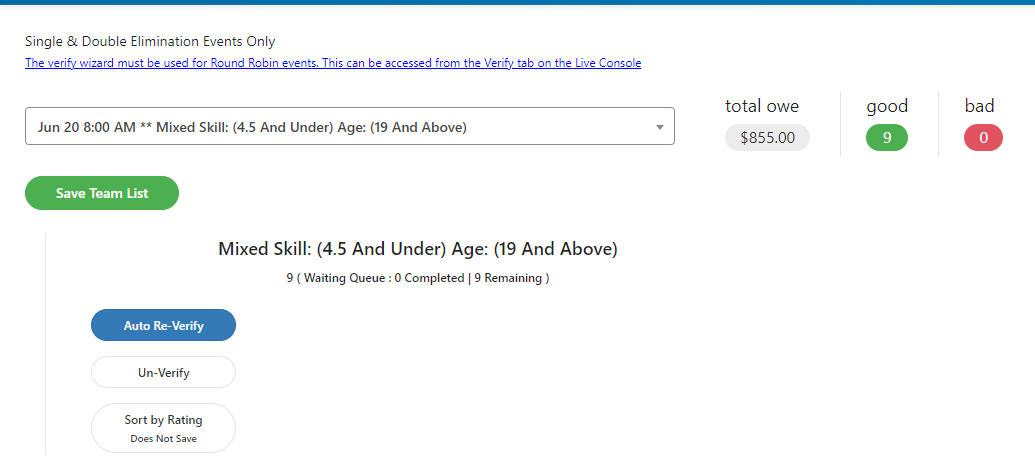
One Step Verify Completion
Options on this page allow changes to the previous One Step Verification procedures.
Was this article helpful?
That’s Great!
Thank you for your feedback
Sorry! We couldn't be helpful
Thank you for your feedback
Feedback sent
We appreciate your effort and will try to fix the article