To view the Helpdesk article on how to set up your age splits, please see this link.
TABLE OF CONTENTS
- Creating Splits When Teams are Already Registered
- Adding Splits with Players
- Manually Moving a Player or Team to a Different Age Split
- Finalizing Split Settings
Creating Splits When Teams are Already Registered
If an event was set up as a skill level event with no age group splits, the Tournament Director may use the manage splits function at any time, either during or after the registration period, to split the event into age groups. If this is done during registration, all future players/teams will register for their age group within the event.
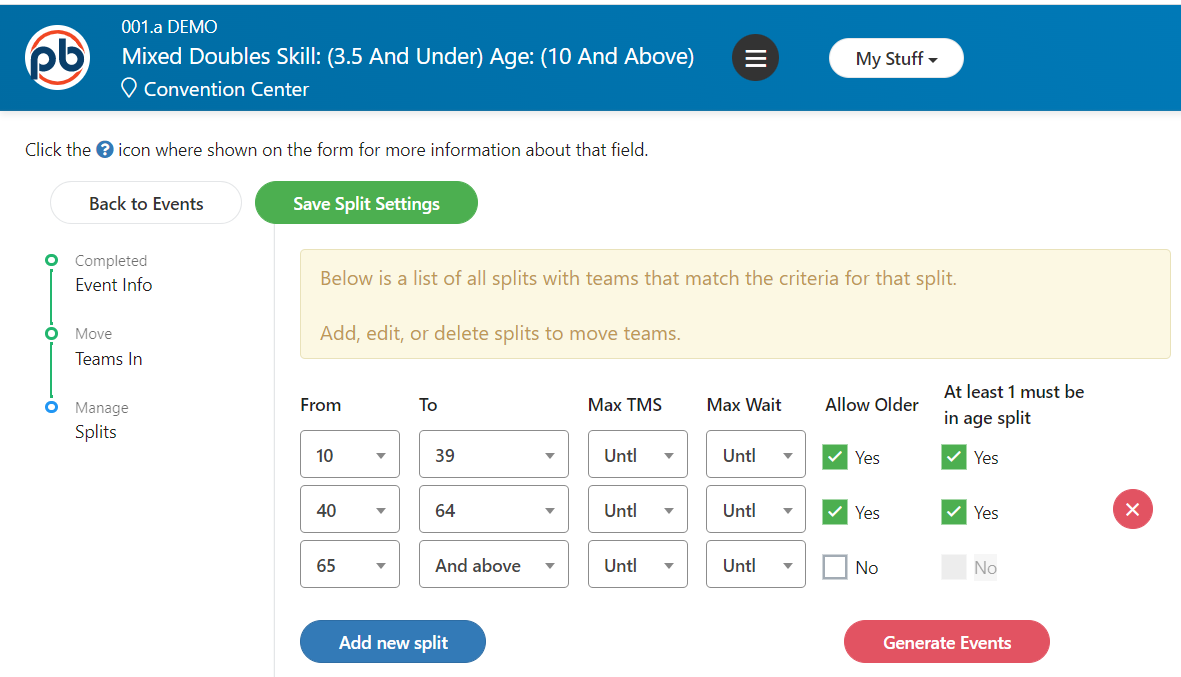
Select Manage Splits from the event and add one split. The first one year age group will be created and players will be placed into the remaining age group.
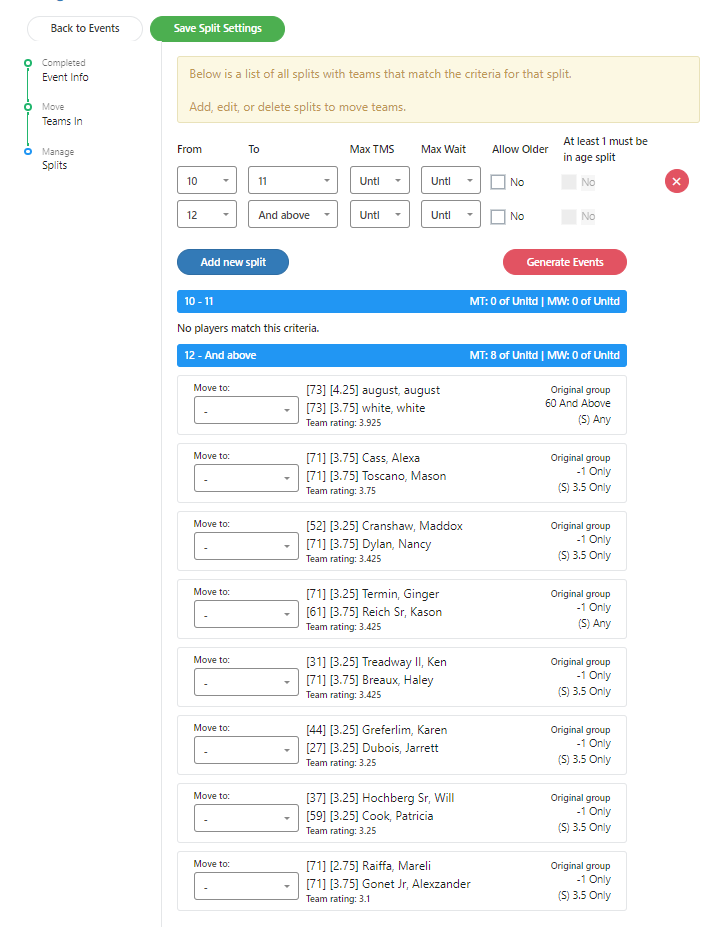
Adding Splits with Players
Edit the age group of the first split and then add and configure additional age splits as needed. Players will be automatically placed correctly.
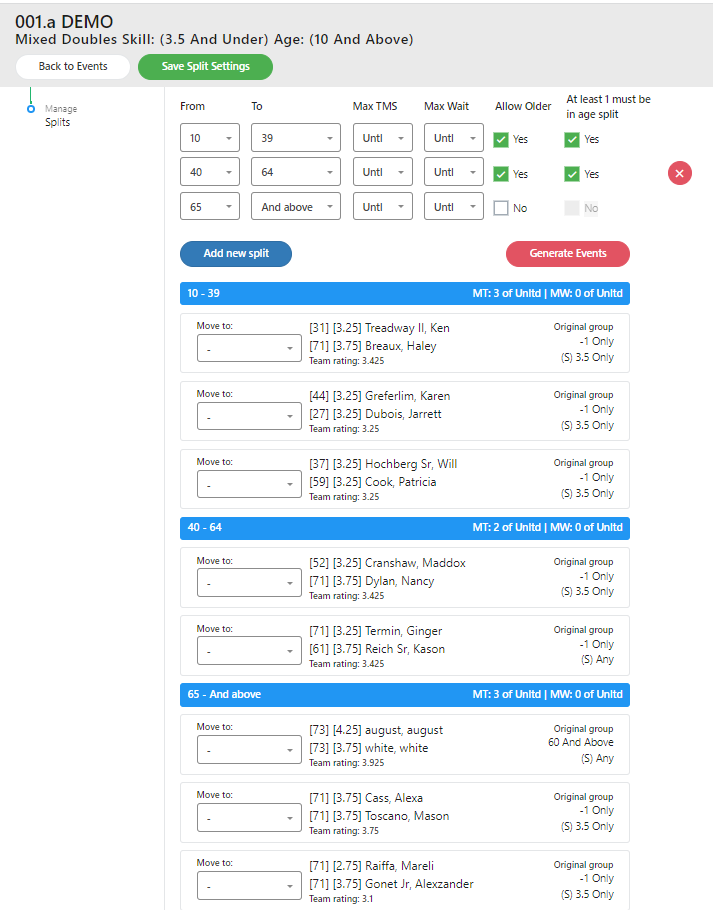
Manually Moving a Player or Team to a Different Age Split
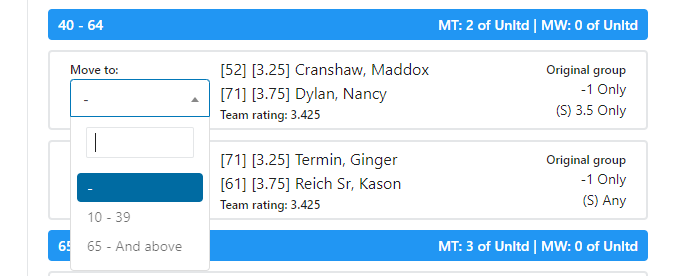
In some cases, Tournament Directors might want to move a team or player up or down to a different age split. To do that from the splits menu, click on the “Move Player To” menu next to the team name and select the age group to move to.
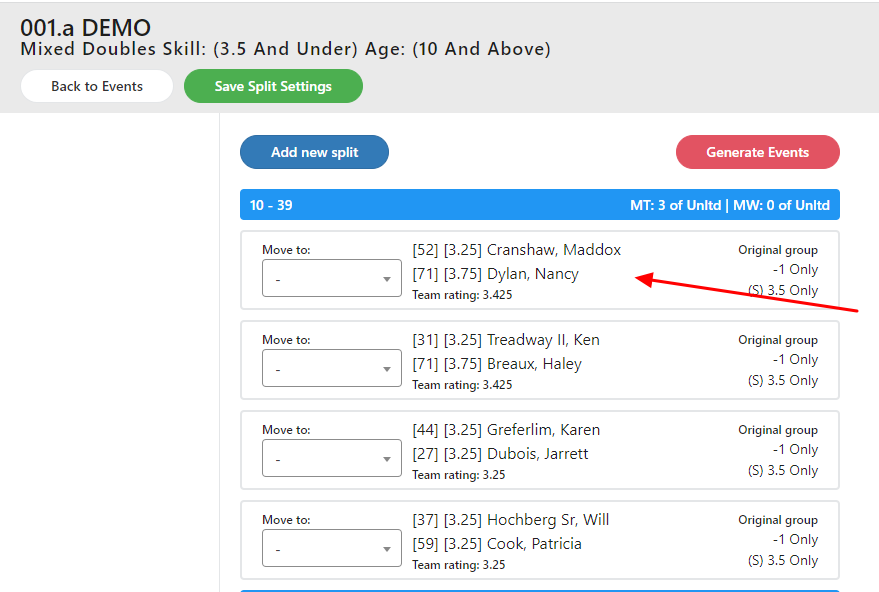
The team will be moved to the new age group.
Finalizing Split Settings
Split settings must be saved but are not permanent and can be modified by the Tournament Director at any time. Once the Tournament Director is satisfied with the split settings, the actual tournament events can be generated. This is usually done at either of the following times:
- When the events are set up for the tournament. This allows the Tournament Director to quickly create empty Skill Level/Age Group events. Once events are generated, the age groups cannot be modified using the manage splits function.
- When registration closes and the Tournament Director wants to finalize the age splits. This must be done prior to verifying the tournament brackets.
Was this article helpful?
That’s Great!
Thank you for your feedback
Sorry! We couldn't be helpful
Thank you for your feedback
Feedback sent
We appreciate your effort and will try to fix the article